Building a Home Lab SIEM: Wazuh Deployment with Custom Detection Rules

Published: February 2026 Category: Security Operations Reading Time: 18 minutes


Executive Summary

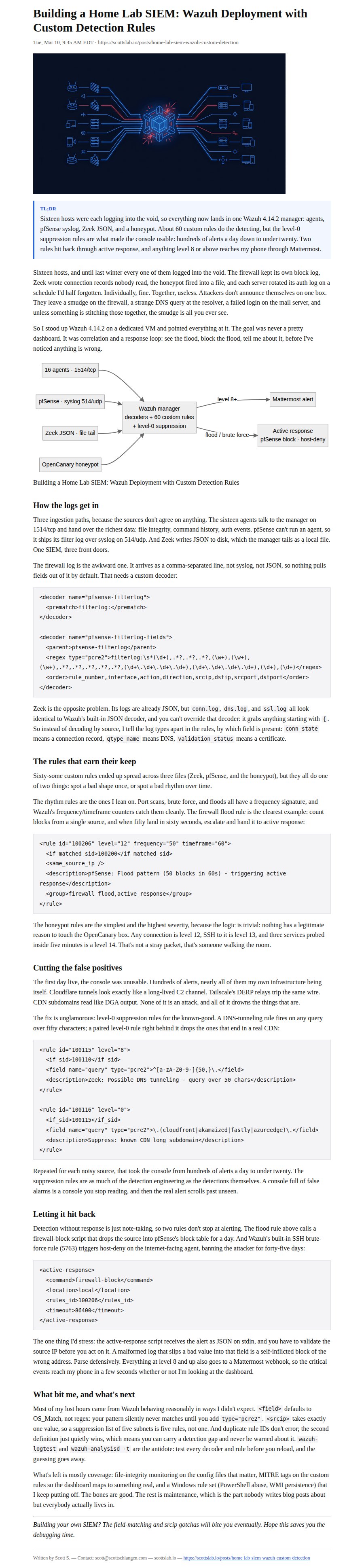
  • Deployed Wazuh 4.14.2 SIEM across 16-host home lab infrastructure with three log ingestion paths: agent-based, syslog, and JSON file monitoring
  • Built 60+ custom detection rules covering C2 beaconing, DNS tunneling, DGA domains, port scanning, honeypot lateral movement, and firewall flood patterns
  • Integrated network IDS (Zeek), honeypot (OpenCanary), and firewall (pfSense) for multi-layer detection
  • Implemented automated active response that auto-blocks attackers at the firewall when SIEM detects flood patterns
  • Configured real-time chat alerting via Mattermost webhook for level 8+ events
  • Documented critical Wazuh gotchas: field match types, srcip limitations, duplicate rule ID behavior, and JSON decoder precedence

Goal

Problem: A security lab without centralized logging is just a collection of devices hoping nothing bad happens. I had 16 hosts generating logs independently - firewall blocks, IDS alerts, honeypot hits, authentication failures - but no unified view. Attackers don't announce themselves; they leave traces across multiple systems. Without correlation and alerting, those traces go unnoticed.

Why it mattered: Home labs are targets. They have public-facing services, they run 24/7, and they're often less hardened than enterprise infrastructure. I needed a SIEM that could detect scanning, brute force, C2 beaconing, and lateral movement - and alert me before an attacker establishes persistence. More importantly, I wanted automated response: if someone floods my firewall, block them without waiting for me to notice.


Scope and Constraints

In Scope

  • Wazuh server deployment and configuration
  • Agent deployment across 16 infrastructure hosts
  • Custom decoders for firewall CSV logs and Zeek JSON
  • Detection rules for network-layer threats (scanning, tunneling, DGA, C2)
  • Detection rules for honeypot activity
  • Detection rules for firewall flood patterns
  • Active response automation (firewall blocking, SSH brute force response)
  • Chat integration for real-time alerting

Out of Scope

  • Wazuh dashboard customization (default dashboards used)
  • File integrity monitoring rules (P0 improvement)
  • Windows-specific detection rules (P2 improvement)
  • Vulnerability scanning module
  • Threat intelligence feed integration

Key Constraints

  • No false positive floods - Suppression rules must filter known-good infrastructure traffic
  • Sub-minute alerting - Critical events must reach chat within seconds
  • Automated blocking must be safe - Can't auto-block legitimate infrastructure IPs
  • Rules must be maintainable - Clear naming, documented rule IDs, logical grouping

Tools and References

Tool Role in This Project
Wazuh 4.14.2 SIEM platform - log aggregation, correlation, detection rules, active response
Zeek Network IDS - connection logs, DNS queries, SSL certificates, behavioral notices
OpenCanary Honeypot - fake services that alert on any connection (SSH, HTTP, MySQL, FTP)
pfSense Firewall - perimeter logging, block table for active response
Mattermost Team chat - webhook receiver for real-time alerting
Proxmox Hypervisor - hosts VMs and containers running monitored services

References:


Approach

Phase 1: Wazuh Server Deployment

What I did: Deployed Wazuh 4.14.2 on a dedicated VM with sufficient resources for log ingestion and rule processing. Configured three ingestion paths: agent listener (1514/tcp), syslog receiver (514/udp), and local JSON file monitoring for Zeek logs.

Why: Different log sources require different collection methods. Agents provide the richest data (file integrity, command monitoring), syslog handles devices that can't run agents (firewall), and file monitoring handles structured logs from the IDS sensor.

Phase 2: Agent Deployment

What I did: Installed Wazuh agents on all 16 infrastructure hosts: Proxmox hypervisors, LXC containers, bare metal servers, Windows desktop, mail server, NAS, wiki, automation platform. Configured firewall to send syslog, and set up JSON log shipping from the Zeek sensor.

Why: Full coverage is the foundation. An unmonitored host is a blind spot where attackers can operate freely. Even "low value" hosts like the wiki can be pivot points for lateral movement.

Phase 3: Custom Decoder Development

What I did: Built a custom decoder for firewall CSV logs using pcre2 regex to extract interface, action, direction, source IP, destination IP, and ports. For Zeek logs, I used the built-in JSON decoder and differentiated log types by field presence in rules.

Why: The firewall logs arrive as comma-separated values - not JSON, not syslog format. Without a custom decoder, Wazuh can't extract the fields needed for detection rules. Zeek logs are JSON but have different schemas per log type (conn.log vs dns.log vs ssl.log).

Phase 4: Detection Rule Development

What I did: Created 60+ rules across three rule files: network IDS detection (Zeek), firewall pattern detection (pfSense), and honeypot alerting (OpenCanary). Rules cover port scanning, DNS tunneling, DGA domains, C2 beaconing, self-signed certificates, honeypot probes, and firewall floods.

Why: Out-of-the-box Wazuh rules focus on common attacks against common services. My environment has specific detection needs: Zeek notices for long connections, OpenCanary honeypot alerts, and firewall flood patterns that indicate scanning or DDoS.

Phase 5: False Positive Suppression

What I did: Added level-0 suppression rules for known infrastructure traffic: CDN provider subnets, VPN relay IPs, cloud service ranges, and reverse DNS lookup sources. Created local LAN traffic suppression for firewall rules.

Why: Without suppression, legitimate traffic floods the alert console. Cloudflare tunnel connections trigger "long connection" alerts. VPN relays trigger DNS tunneling rules. CDN queries look like DGA. Suppression rules maintain signal-to-noise ratio.

Phase 6: Active Response Configuration

What I did: Configured two active response scripts: (1) firewall auto-block that adds attacking IPs to the block table when SIEM detects flood patterns, and (2) SSH brute force blocker that drops attacker IPs via iptables for 45 days.

Why: Detection without response is just observation. If the SIEM detects a flood attack, waiting for human intervention gives the attacker time. Automated blocking stops the attack immediately.

Phase 7: Chat Integration

What I did: Configured Mattermost webhook integration to receive all level 8+ alerts in JSON format for real-time notification.

Why: I'm not watching the SIEM dashboard 24/7. Chat notifications ensure I see critical alerts within seconds, even when away from the security console.


Implementation Notes

Custom Firewall Decoder (Sanitized)

<!-- /var/ossec/etc/decoders/local_decoder.xml -->
<decoder name="pfsense-filterlog">
  <prematch>filterlog:</prematch>
</decoder>

<decoder name="pfsense-filterlog-fields">
  <parent>pfsense-filterlog</parent>
  <regex type="pcre2">filterlog:\s*(\d+),.*?,.*?,.*?,(\w+),(\w+),(\w+),.*?,.*?,.*?,.*?,.*?,(\d+\.\d+\.\d+\.\d+),(\d+\.\d+\.\d+\.\d+),(\d+),(\d+)</regex>
  <order>rule_number,interface,action,direction,srcip,dstip,srcport,dstport</order>
</decoder>

Note: The actual regex is more complex to handle IPv6 and edge cases. This shows the pattern.

Zeek Log Differentiation in Rules (Sanitized)

<!-- Zeek logs use built-in JSON decoder - differentiate by field presence -->

<!-- Connection logs have conn_state field -->
<rule id="100100" level="3">
  <decoded_as>json</decoded_as>
  <field name="conn_state">\.+</field>
  <description>Zeek: Connection log entry</description>
</rule>

<!-- DNS logs have qtype_name field -->
<rule id="100110" level="3">
  <decoded_as>json</decoded_as>
  <field name="qtype_name">\.+</field>
  <description>Zeek: DNS query log entry</description>
</rule>

<!-- SSL logs have validation_status field -->
<rule id="100120" level="3">
  <decoded_as>json</decoded_as>
  <field name="validation_status">\.+</field>
  <description>Zeek: SSL certificate log entry</description>
</rule>

DNS Tunneling Detection (Sanitized)

<!-- Detect suspiciously long DNS queries (potential tunneling) -->
<rule id="100115" level="8">
  <if_sid>100110</if_sid>
  <field name="query" type="pcre2">^[a-zA-Z0-9-]{50,}\.</field>
  <description>Zeek: Possible DNS tunneling - query length exceeds 50 characters</description>
  <group>dns_tunneling,attack</group>
</rule>

<!-- Suppression for known CDN/cloud services with long subdomains -->
<rule id="100116" level="0">
  <if_sid>100115</if_sid>
  <field name="query" type="pcre2">\.(cloudfront|akamaized|fastly|azureedge)\.</field>
  <description>Suppress: Known CDN long subdomain pattern</description>
</rule>

Firewall Flood Detection (Sanitized)

<!-- Base rule: track individual blocks -->
<rule id="100200" level="3">
  <decoded_as>pfsense-filterlog</decoded_as>
  <field name="action">block</field>
  <description>pfSense: Blocked traffic</description>
</rule>

<!-- High-volume blocking from same source -->
<rule id="100205" level="10" frequency="20" timeframe="30">
  <if_matched_sid>100200</if_matched_sid>
  <same_source_ip />
  <description>pfSense: High-volume blocks from same source (20 in 30s)</description>
  <group>firewall_flood,attack</group>
</rule>

<!-- Flood pattern - triggers active response -->
<rule id="100206" level="12" frequency="50" timeframe="60">
  <if_matched_sid>100200</if_matched_sid>
  <same_source_ip />
  <description>pfSense: Flood pattern detected (50 in 60s) - triggering active response</description>
  <group>firewall_flood,active_response</group>
</rule>

Honeypot Detection (Sanitized)

<!-- Any honeypot connection is suspicious -->
<rule id="100300" level="12">
  <decoded_as>json</decoded_as>
  <field name="dst_host" type="pcre2"><HONEYPOT_IP></field>
  <description>Honeypot: Connection attempt detected</description>
  <group>honeypot,lateral_movement</group>
</rule>

<!-- SSH to honeypot is critical -->
<rule id="100301" level="13">
  <if_sid>100300</if_sid>
  <field name="dst_port">22</field>
  <description>Honeypot: SSH connection attempt - likely lateral movement</description>
  <group>honeypot,ssh,lateral_movement</group>
</rule>

<!-- Multi-service probe (attacker scanning the honeypot) -->
<rule id="100310" level="14" frequency="3" timeframe="300">
  <if_matched_sid>100300</if_matched_sid>
  <same_source_ip />
  <description>Honeypot: Multi-service probe detected (3+ services in 5 min) - CRITICAL</description>
  <group>honeypot,scanning,critical</group>
</rule>

Active Response Configuration (Sanitized)

<!-- /var/ossec/etc/ossec.conf -->
<active-response>
  <command>firewall-block</command>
  <location>local</location>
  <rules_id>100206</rules_id>
  <timeout>86400</timeout>
</active-response>

<active-response>
  <command>host-deny</command>
  <location>defined-agent</location>
  <agent_id><INTERNET_FACING_AGENT_ID></agent_id>
  <rules_id>5763</rules_id>
  <timeout>3888000</timeout>  <!-- 45 days -->
</active-response>

Chat Webhook Integration (Sanitized)

<!-- /var/ossec/etc/ossec.conf -->
<integration>
  <name>custom-mattermost</name>
  <hook_url><CHAT_WEBHOOK></hook_url>
  <level>8</level>
  <alert_format>json</alert_format>
</integration>

Validation and Evidence

Signals That Proved It Worked

Check Before After
Monitored agents 0 16 (all healthy)
Custom decoders 0 2 (firewall CSV, Zeek differentiation via rules)
Detection rules Default only 60+ custom rules across 3 files
False positive alerts/day Hundreds <20 (suppression working)
Active response blocks Manual only Automated on flood detection
Alert latency to chat N/A <5 seconds

Validation Commands (Sanitized)

# Check agent status
/var/ossec/bin/agent_control -l
# Expected: 16 agents, all Active

# Test decoder parsing
echo '<SAMPLE_FIREWALL_LOG>' | /var/ossec/bin/wazuh-logtest
# Expected: Decoder pfsense-filterlog-fields extracts all fields

# Validate rule syntax
/var/ossec/bin/wazuh-analysisd -t
# Expected: No errors

# Check active response status
/var/ossec/bin/agent_control -L
# Expected: firewall-block and host-deny configured

# Verify chat integration
grep "custom-mattermost" /var/ossec/etc/ossec.conf
# Expected: Integration block present with webhook URL

Results

Metric Outcome
Infrastructure Coverage 16 hosts monitored with unified SIEM
Custom Detection Rules 60+ rules across 3 rule files
Log Ingestion Paths 3 (agent 1514/tcp, syslog 514/udp, JSON file)
Detection Categories C2 beaconing, DNS tunneling, DGA, port scanning, self-signed certs, honeypot probes, brute force, firewall floods
Active Response Automated firewall blocking on flood detection
Alert Latency <5 seconds to chat for level 8+ events
False Positive Reduction Hundreds/day to <20/day via suppression rules

What I Learned

  1. Wazuh's <field> tag defaults to OS_Match, not regex. OS_Match is simple wildcard matching. For pattern matching, you MUST specify type="pcre2". I wasted hours wondering why my regex patterns weren't matching.

  2. The built-in JSON decoder catches everything starting with {. You cannot override it with custom decoders. Design your rules to differentiate JSON log sources by field presence, not decoder name.

  3. <srcip> is surprisingly limited. No comma-separated CIDRs, no pipe alternation. You need one rule per CIDR. This bloats your rule file but there's no workaround.

  4. Duplicate rule IDs fail silently. The second definition wins with no error, no warning. Use a clear numbering scheme and track assignments to avoid accidental collisions.

  5. Wazuh's decoder loading order can't be changed. Built-in decoders in ruleset/ load before custom decoders in etc/. You can't preempt the JSON decoder.

  6. Child decoders with <regex> replace parent field extraction. If a parent decoder extracts fields and a child decoder defines its own regex, the child's extraction replaces the parent's, not supplements it.

  7. Frequency-based rules are powerful for detecting patterns. Port scanning, brute force, and flood attacks all have a frequency signature. Tune the timeframe and threshold carefully - too sensitive and you get false positives, too lenient and you miss attacks.

  8. Suppression rules (level 0) are essential. Known-good infrastructure traffic will flood your alerts otherwise. CDN connections, VPN relays, cloud API calls - all need suppression rules.

  9. Active response scripts receive JSON on stdin. Parse it carefully and validate the source IP before acting. A malformed log could trigger blocking the wrong IP.

  10. Test with wazuh-logtest and wazuh-analysisd -t. These tools save hours of debugging. Test every decoder change and rule addition before deploying.


What I Would Improve Next

P0 (Do This Week)

  • File integrity monitoring rules - Add FIM for critical config files across all agents (/etc/passwd, /etc/shadow, sshd_config, crontab)
  • MITRE ATT&CK tagging - Add <mitre> tags to all custom rules for dashboard mapping and reporting

P1 (Do This Month)

  • Dashboard visualizations - Build custom Wazuh dashboards showing detection categories, top attackers, and alert trends
  • Suricata integration - Add signature-based IDS alongside Zeek's behavioral detection
  • Log retention policy - Implement archiving and rotation for long-term storage

P2 (Do This Quarter)

  • Vulnerability scanning - Enable Wazuh's vulnerability detection module
  • Incident response playbooks - Build automated response beyond IP blocking (isolate host, capture memory, notify on-call)
  • Windows detection rules - Add rules for PowerShell abuse, WMI persistence, suspicious registry changes
  • Threat intelligence feeds - Integrate IOC feeds for known-bad IP and domain matching

Common Failure Modes

  1. "My regex pattern isn't matching in field rules" - You're probably missing type="pcre2". The default OS_Match only supports simple wildcards like * and ?, not full regex.

  2. "My custom decoder isn't being used for JSON logs" - The built-in JSON decoder has priority. Use field presence in rules to differentiate, not custom decoders.

  3. "Duplicate rule ID and alerts are wrong" - Wazuh silently uses the last definition of a duplicate ID. Check for collisions with grep -r "id=\"100123\"" /var/ossec/etc/rules/.

  4. "srcip suppression rule isn't working with multiple CIDRs" - <srcip> only accepts a single CIDR. Create one rule per subnet.

  5. "Alerts stopped arriving" - Check wazuh-manager service status, agent connectivity, and disk space. Full disk is a common silent killer.


Security Considerations

Multi-Layer Detection

  • Network layer: Zeek detects scanning, tunneling, and suspicious certificates
  • Perimeter layer: Firewall rules catch flood patterns and repeated blocks
  • Deception layer: Honeypot alerts on any connection attempt
  • Host layer: Agent-based monitoring for authentication and system events

Automated Response

  • Firewall auto-block removes human delay from flood response
  • SSH brute force blocking protects internet-facing services
  • 45-day block duration for SSH attacks provides meaningful deterrence

False Positive Management

  • Suppression rules prevent alert fatigue from known infrastructure
  • Whitelists are specific (by CIDR, by domain pattern) not overly broad
  • Level thresholds ensure only significant events reach chat

Honeypot Integration

  • Any honeypot traffic is suspicious by definition - no legitimate reason to connect
  • Multi-service probes indicate active reconnaissance
  • High severity levels (12-14) ensure immediate attention

Runbook

If Alerts Stop Arriving

  1. Check wazuh-manager service - systemctl status wazuh-manager
  2. Verify agent connectivity - /var/ossec/bin/agent_control -l - look for disconnected agents
  3. Check disk space - df -h /var/ossec - full disk stops logging
  4. Review manager logs - tail -100 /var/ossec/logs/ossec.log - look for errors
  5. Test log processing - Send test log through wazuh-logtest to verify decoder/rule chain

How to Add a New Agent

# On Wazuh server
/var/ossec/bin/manage_agents -a <NEW_AGENT_NAME> <AGENT_IP>
/var/ossec/bin/manage_agents -e <AGENT_ID>  # Extract key

# On new agent
/var/ossec/bin/manage_agents -i '<EXTRACTED_KEY>'
systemctl restart wazuh-agent

How to Test a New Rule

# 1. Add rule to local_rules.xml
# 2. Validate syntax
/var/ossec/bin/wazuh-analysisd -t

# 3. Test with sample log
echo '<SAMPLE_LOG>' | /var/ossec/bin/wazuh-logtest

# 4. If valid, restart manager
systemctl restart wazuh-manager

Rollback Procedure

# Revert rule changes
cp /var/ossec/etc/rules/local_rules.xml.backup /var/ossec/etc/rules/local_rules.xml

# Revert decoder changes
cp /var/ossec/etc/decoders/local_decoder.xml.backup /var/ossec/etc/decoders/local_decoder.xml

# Validate and restart
/var/ossec/bin/wazuh-analysisd -t
systemctl restart wazuh-manager

Appendix

Glossary

Term Definition
Wazuh Open-source SIEM platform for log analysis, intrusion detection, and compliance
Zeek Network analysis framework that generates structured logs from traffic
OpenCanary Honeypot daemon that emulates services and alerts on connections
DGA Domain Generation Algorithm - malware technique using pseudo-random domains
C2 Command and Control - attacker infrastructure for controlling compromised hosts
Active Response Automated actions triggered by SIEM rules (blocking, isolation, notification)
OS_Match Wazuh's default string matching using simple wildcards (* and ?)
pcre2 Perl Compatible Regular Expressions - full regex support in Wazuh rules

MITRE ATT&CK Mapping

Technique ID Name Detection Rule Coverage
T1071.001 Application Layer Protocol: Web Long-lived HTTPS connections, unusual User-Agents
T1071.004 Application Layer Protocol: DNS DNS tunneling (long queries), high TXT query frequency
T1568.002 Dynamic Resolution: DGA High-entropy subdomain detection, NXDOMAIN frequency
T1046 Network Service Scanning Port scan detection via rejected connection frequency
T1110 Brute Force SSH authentication failure frequency, active response blocking
T1021 Remote Services Honeypot SSH/RDP connection detection
T1572 Protocol Tunneling DNS query length analysis, connection duration analysis
T1573 Encrypted Channel Self-signed certificate detection via Zeek SSL logs

Detection Logic Summary

Detection Rule IDs Data Source Logic
Port scanning 100105 Zeek conn.log Rejected connections >10 in 60s from same source
DNS tunneling 100115 Zeek dns.log Query length >50 characters
DGA domains 100117 Zeek dns.log Subdomain length >20 + high entropy pattern
Self-signed certs 100125 Zeek ssl.log validation_status = "self signed"
C2 beaconing 100130 Zeek notice.log Long_Connection notice from Zeek
Firewall flood 100206 pfSense filterlog >50 blocks from same IP in 60s
Honeypot probe 100300-100310 OpenCanary/Zeek Any connection to honeypot IP
SSH brute force 5763 (built-in) auth.log Multiple SSH failures from same source

Artifacts Produced

  • Custom Decoder: Firewall Log Parser - pcre2-based decoder for pfSense CSV filterlog format
  • Rule File: Network IDS Detection - 40+ rules for Zeek log analysis (connections, DNS, SSL, notices)
  • Rule File: Firewall Pattern Detection - 15+ rules for pfSense block analysis and flood detection
  • Rule File: Honeypot Alert Detection - 10+ rules for OpenCanary integration via Zeek
  • Active Response: Firewall Auto-Block Script - Adds attacking IPs to pfSense block table
  • Active Response: SSH Brute Force Blocker - iptables-based 45-day block for SSH attackers
  • Integration: Chat Webhook Alerting - Mattermost integration for level 8+ alerts

Bigfoot Sign-Off

You know how Bigfoot stays hidden? By watching everything and trusting nothing.

That's what a SIEM does. It sits in the forest of your infrastructure, eyes on every log, every connection, every authentication attempt. Most of it is just deer walking through - normal traffic, expected patterns, nothing to worry about. But every once in a while, something moves wrong. Steps where it shouldn't. Connects to the honeypot. Sends DNS queries that look like alphabet soup.

That's when you stop watching and start acting.

Sixty rules sounds like a lot until you realize how many ways attackers can move through a network. Scanning, tunneling, beaconing, brute forcing, lateral movement - each one needs its own tripwire. And the suppression rules? Those are just as important. A forest full of false alarms is a forest where real threats walk right past.

The auto-block is my favorite part. I've spent too many years manually blocking IPs while attackers moved faster than I could type. Now the SIEM sees the flood pattern, calls the firewall, and the attacker is gone before they know they've been spotted.

That's the dream: infrastructure that defends itself while I sleep.

Now if you'll excuse me, I have 60 rules that need MITRE ATT&CK tags. The paperwork never ends, even in the forest.

— Bigfoot Security Operations, ScottsLab "Watching the logs from the treeline since 2023"


Building your own SIEM? The field matching and srcip gotchas will bite you eventually. Hope this saves you the debugging time.